Docker Volumes: Why Your Database Data Disappears (and How to Keep It)
Anowar Hossen Farvez
Software Engineer
Imagine this: you remove or recreate a Docker container, and suddenly your entire database is gone. No tables, no rows, nothing. If you're new to Docker, this moment usually arrives as a nasty surprise. Let's understand why it happens — and how Docker Volumes solve it.
Why Does the Data Disappear?
One of the first things worth understanding when working with Docker is data persistence. Every container gets a thin writable filesystem layer on top of its read-only image layers. Anything your application writes at runtime — files, logs, database records — lands in that writable layer.
The catch: this layer is ephemeral. It belongs to the container itself, so when the container is removed, the layer is removed with it — along with everything inside. If your database stores its files directly on the container's filesystem, deleting the container deletes your data.
Important data like a database should never be tied to a container's lifecycle. Containers are meant to be disposable — your data is not.
Enter Docker Volumes
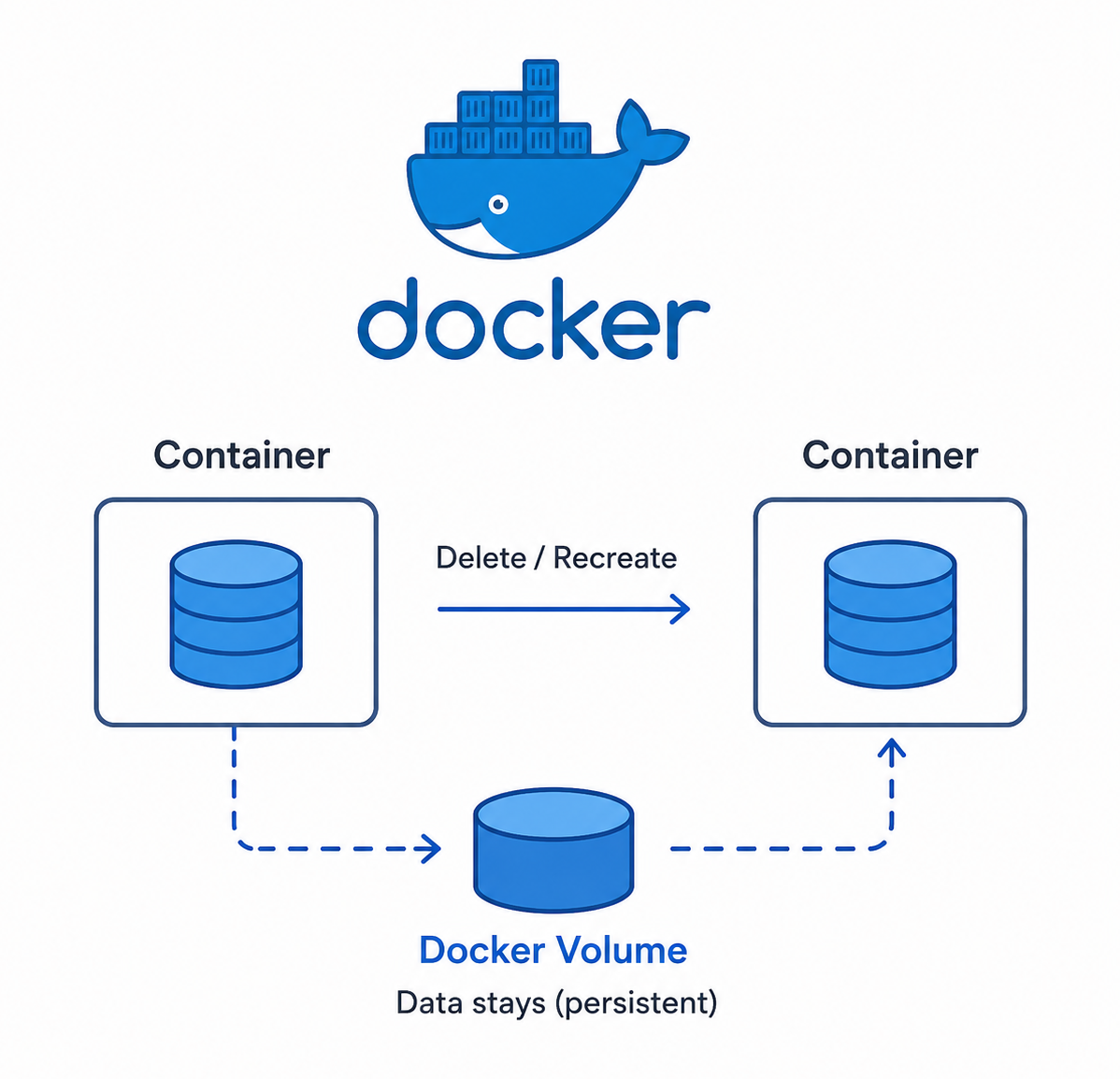
A Docker Volume is Docker's built-in persistent storage mechanism. Volumes live outside the container's filesystem, in a dedicated area managed by Docker on the host machine. A volume is mounted into a container at a specific path, and everything written to that path is stored in the volume — not in the container's ephemeral layer.
Because the volume exists independently, deleting or recreating the container does not touch the data. You can attach the same volume to a brand-new container and pick up exactly where you left off.
Why Volumes Matter
1. Data Persistence
If PostgreSQL or MongoDB stores its data in a volume, you can delete the container, create a new one, attach the same volume — and all your previous data is right there.
2. Separation of Application and Data
Your application container can be recreated, updated, or replaced at any time while the persistent data stays untouched. In other words: Container lifecycle ≠ Data lifecycle.
3. Easier Development
Rebuilding containers is a constant part of development. With a volume, you don't have to re-seed or re-configure your database every time — the existing data survives each rebuild.
A Hands-On Example
Let's prove the whole thing with PostgreSQL. First, create a named volume:
docker volume create my_db_dataNow run a PostgreSQL container with that volume mounted at the data directory:
docker run -d \
  --name postgres-db \
  -e POSTGRES_PASSWORD=secret \
  -v my_db_data:/var/lib/postgresql/data \
  postgres:16
Here's what each part means:
my_db_data— the named volume we just created/var/lib/postgresql/data— PostgreSQL's data directory inside the containerpostgres:16— a pinned image version (more on this below)
Why postgres:16 and not just postgres?
Starting with PostgreSQL 18, the official Docker image changed its data directory
layout — mounting a volume at /var/lib/postgresql/data makes the
container refuse to start. On 18+, the recommended mount point is
/var/lib/postgresql instead. Pinning a specific version keeps the
tutorial reproducible — and pinning versions is good practice in production anyway,
so an image update never surprises you.
At this point the database is running and writing everything to the volume. Now delete the container:
docker rm -f postgres-dbThe container is gone — but the volume is not. You can verify this yourself:
docker volume ls
You'll see my_db_data still sitting in the list. The container was
destroyed, but the data survived. Now attach the same volume to a completely new container:
docker run -d \
  --name postgres-db-new \
  -e POSTGRES_PASSWORD=secret \
  -v my_db_data:/var/lib/postgresql/data \
  postgres:16
Connect to the new container and every table, row, and index from before is exactly where you left it. That's the core benefit of Docker Volumes: the container lifecycle and the data lifecycle are fully decoupled.
A Volume Is Not a Backup
One important caveat: volumes help data persist, but they are not a backup strategy. If the volume itself is deleted, or the underlying disk fails, the data is gone. In production, always pair volumes with a proper database backup and recovery strategy — regular dumps, point-in-time recovery, offsite copies, whatever fits your requirements.
Does Every App Need a Volume?
No. Stateless applications — a typical Node.js or Python API, for example — can run perfectly fine without persistent storage, and that's actually what makes them so easy to scale and replace. But for database files, user-uploaded content, or any other persistent state, some form of persistent storage is essential. Docker Volumes are the most common and convenient solution for it.
Conclusion
Containers can be disposable — but your important data should never be.
Understanding the difference between a container's ephemeral filesystem and persistent
volumes is one of the most fundamental Docker lessons. Get it right early, and you'll
never again watch a database vanish because of a routine docker rm.